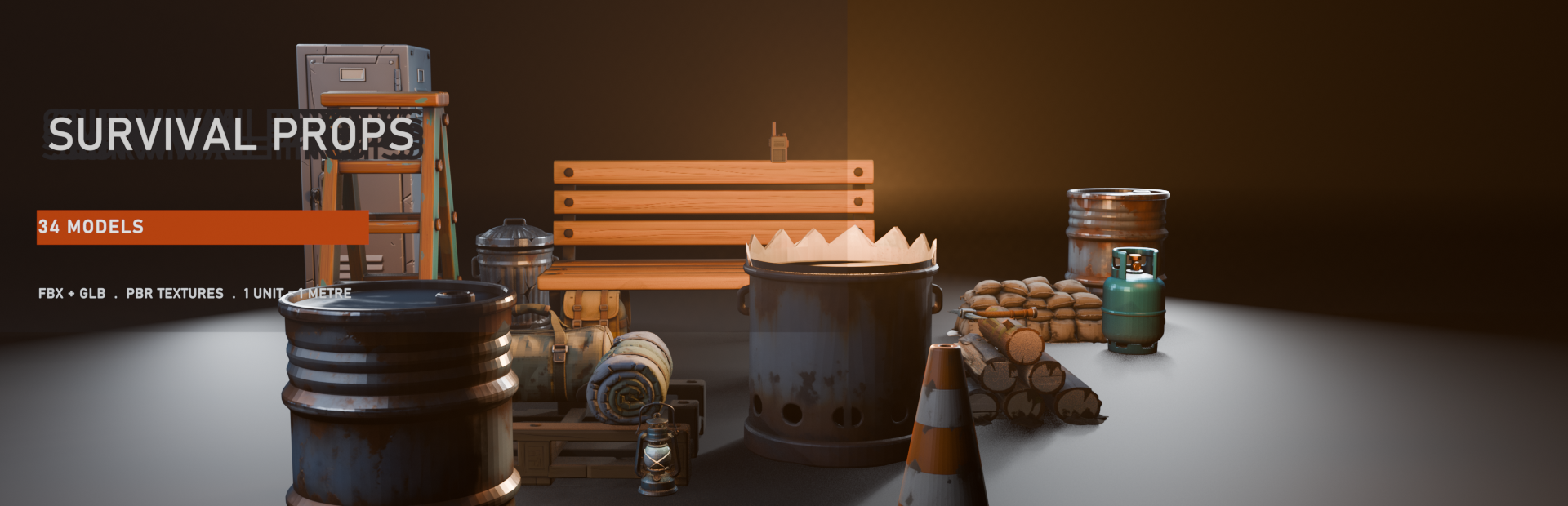
Stylized Survival Props - 34 Game-Ready Models
A downloadable asset pack
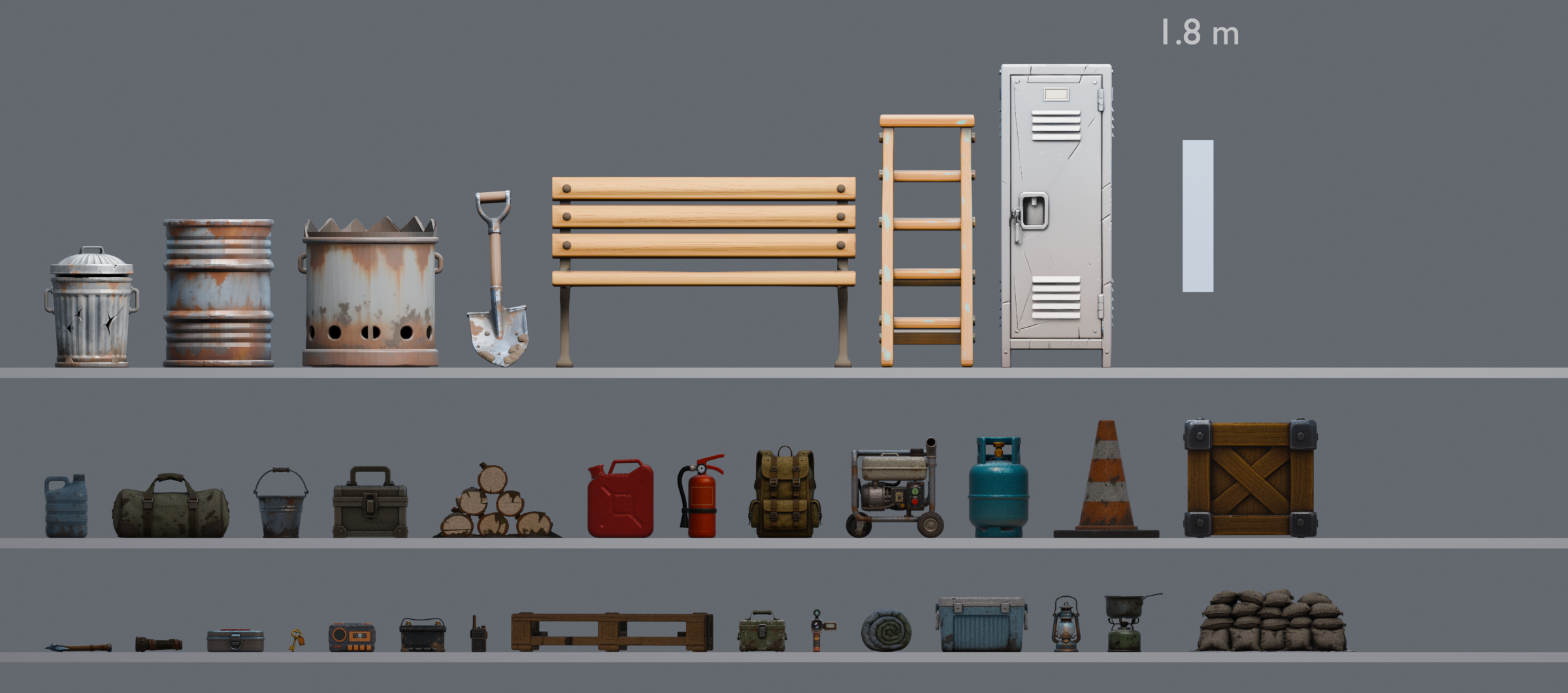
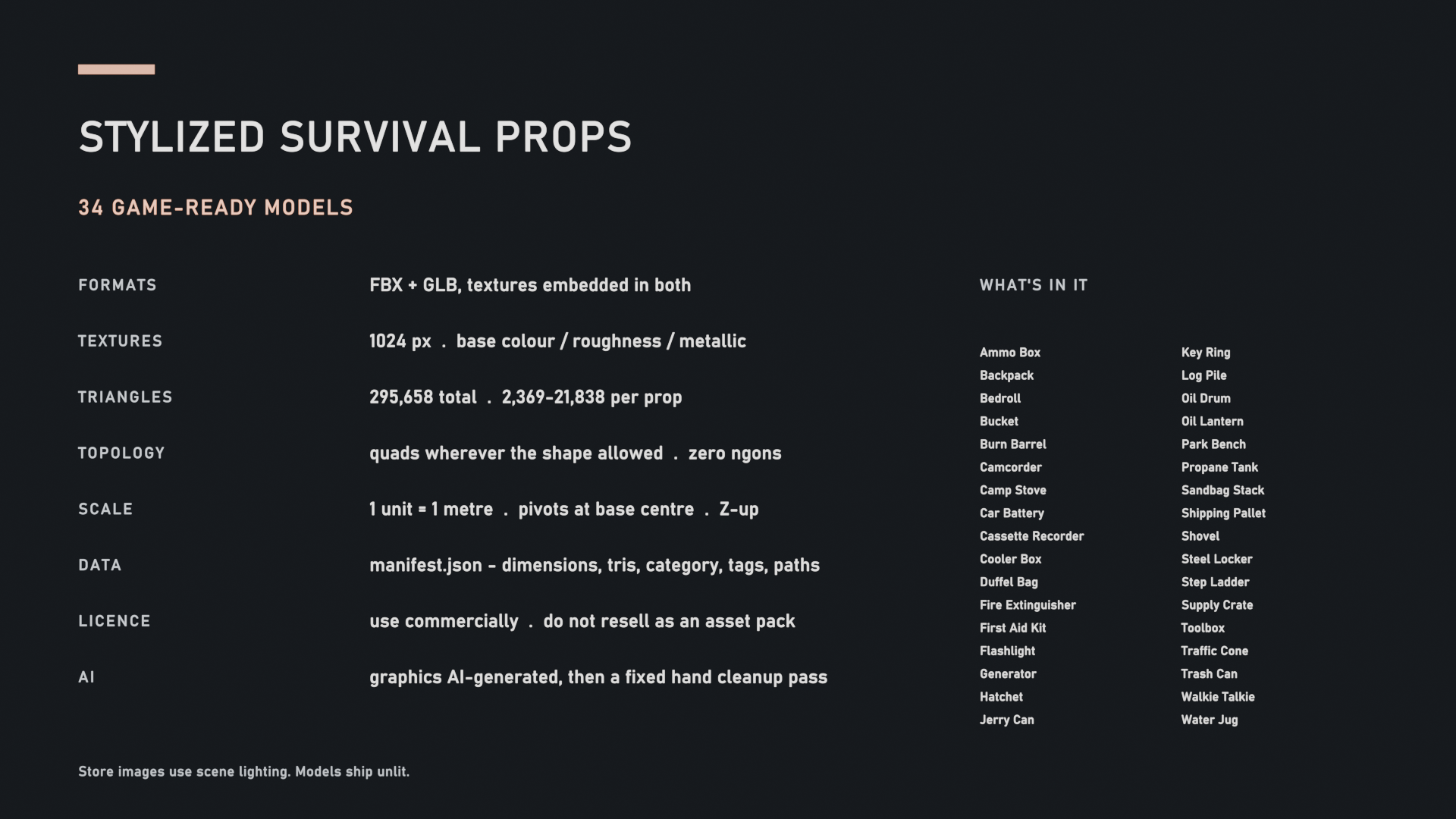
34 survival and utility props. FBX and GLB for every one, textures embedded in both. 1 unit = 1 metre, and every pivot sits at the bottom centre, so a prop set to Y 0 is standing on the floor. The walkie talkie is 22 cm. The steel locker is 1.8 m. Between 2,369 and 21,838 triangles each, 295,658 across the set.
What you're not getting
This goes first because it's the part that costs you time.
No normal maps. I measured surface tilt across the set and it came out under a degree. Removing the maps changed a render by half a percent. Shipping them would have been nine megabytes of flat grey sitting in your project folder.
No LODs. Automatic decimation shattered the small parts. The backpack buckles came apart into floating shards at quarter density, which was funny to look at and completely unusable. The meshes are light enough that you can decimate them yourself with better settings than I was getting.
No collision meshes. Engine convex hulls handle these shapes fine.
Ambient occlusion is baked into the base colour. Softly, but it's in there. If your pipeline needs a strictly flat albedo, this isn't it.
One UV set per prop, so tick Generate Lightmap UVs if you bake in Unity. Coverage runs from 26% to 75%, median 49%.
One 1024 map per prop, whatever size the prop is. That works out at 2.7 pixels per centimetre on the burn barrel and 59.9 on the key ring, median 8.7 across the set. A 22x spread. Put the locker or the park bench right up against the camera and you will see it, and there is no second map to switch to. The small props are the ones that hold up close.
There's a second download on this page that fixes that for the ten worst of them. 2048 maps baked from the same 4K sources, which takes the burn barrel from 2.7 to 5.5 px/cm and the locker from 3.3 to 6.6. It's a separate file on purpose, because quadrupling texture memory on ten props is a bad trade if you are dressing a set with them rather than putting one in front of the camera. The meshes in it are identical to the ones here, same face count, same triangles, same UV layout, checked per prop, so it drops straight in.
Two props are looser than the rest and you should know which before you download rather than after. The burn barrel is an open-topped shell with no wall thickness, so set its material two-sided if the player can look down into it. The log pile has hairline slits between the logs that show from a low angle.
The scale claim, measured
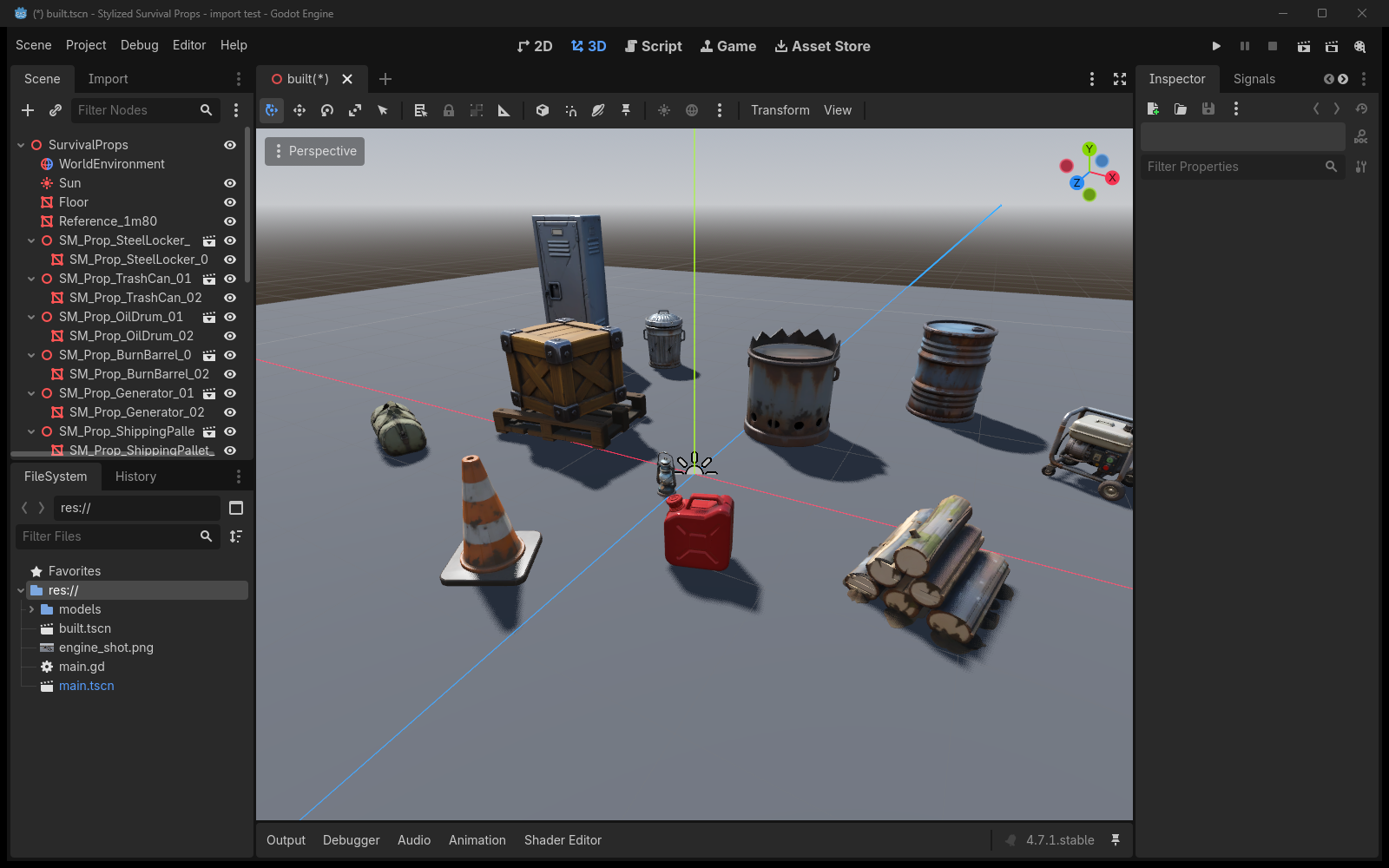
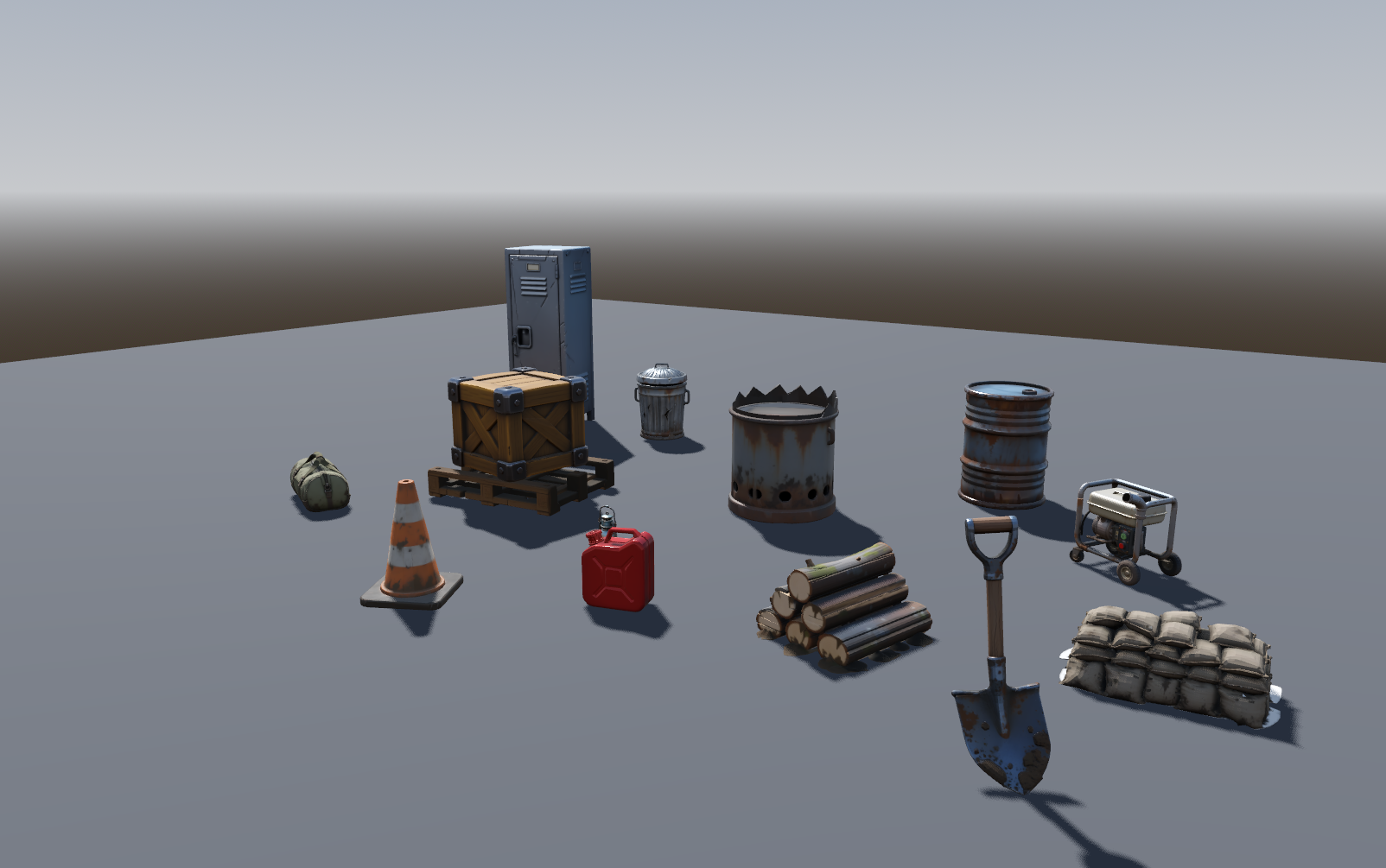
I loaded all 34 into a clean Godot 4.7.1 project and changed nothing. No rescale, no rotation fix, no rebuilding materials.
All 34 reported a base at Y = +0.00000. That's five decimals rather than the three the inspector gives you, because a prop sitting at 0.0004 would show as zero at three and I'd be quoting a rounding error at you.
Longest dimension per prop matched manifest.json exactly. Worst difference across the whole set was 0.00000 m. Steel locker 1.8000, shovel 1.0500, pallet deck 0.2376, and a crate dropped at 0.238 sat flush on that deck.
Each prop is one mesh with one surface. One material slot, one draw call.
The Godot screenshots on this page are that project with the editor UI still in frame, because I'd rather you saw the real thing than a beauty render.
Unity. FBX, Scale Factor 1, Convert Units on.
Unreal. FBX, Import Uniform Scale 1.0. Unreal counts in centimetres and these are authored in metres, so if a prop turns up a hundred times too small, set that to 100 and reimport.
Godot is the only engine I've run these through myself. The Unity and Unreal settings are what should work, not something I've verified, and I'd rather say so than have you find out. If you import into either and something's off, tell me and I'll fix it.
What's in it
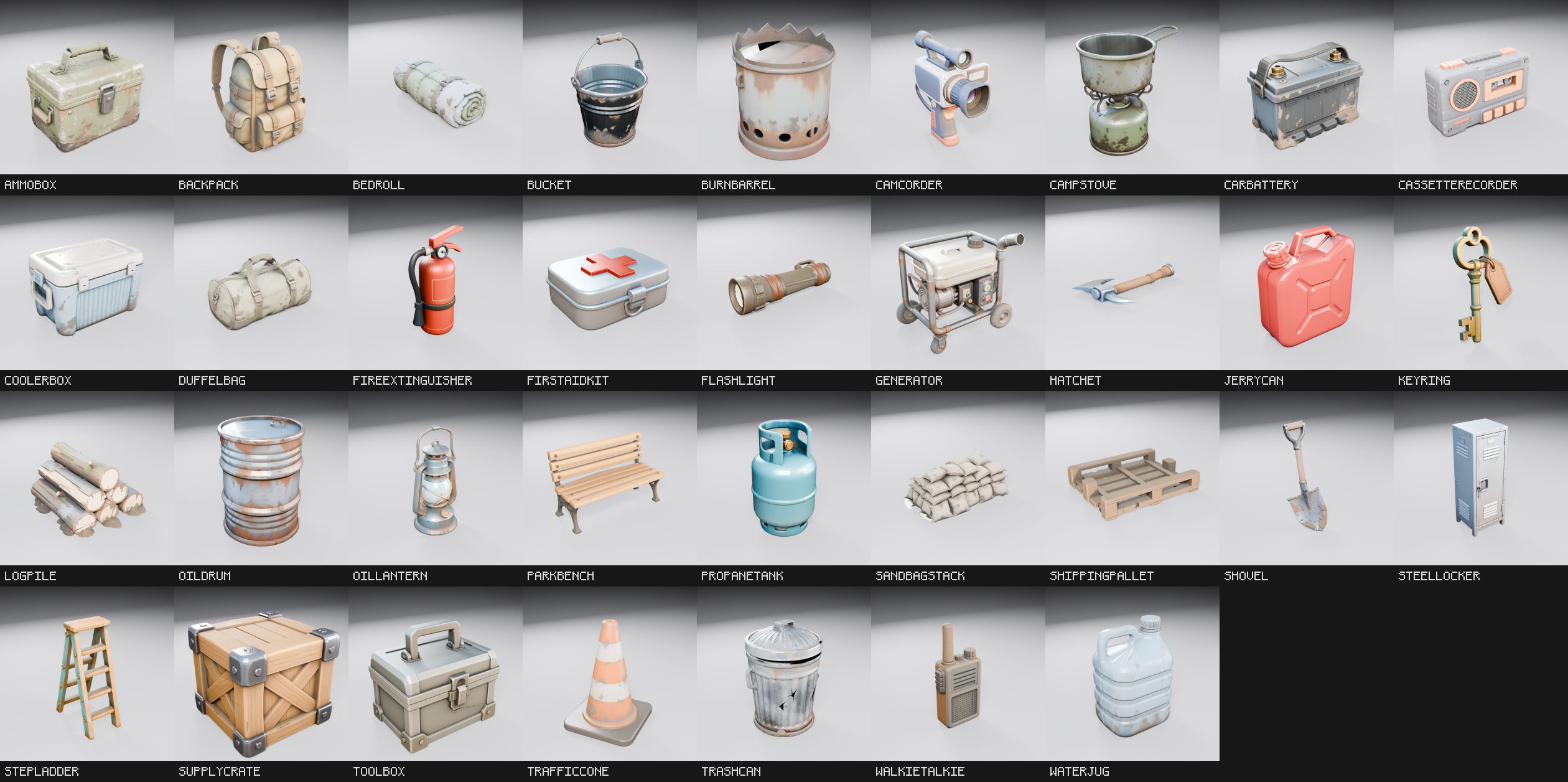
Ammo Box, Backpack, Bedroll, Bucket, Burn Barrel, Camcorder, Camping Stove, Car Battery, Cassette Recorder, Cooler Box, Duffel Bag, Fire Extinguisher, First Aid Kit, Flashlight, Generator, Hatchet, Jerry Can, Key Ring, Log Pile, Oil Drum, Oil Lantern, Park Bench, Propane Tank, Sandbag Stack, Shipping Pallet, Shovel, Steel Locker, Step Ladder, Supply Crate, Toolbox, Traffic Cone, Trash Can, Walkie Talkie, Water Jug.
Textures are embedded in both formats, so one drag-and-drop brings the material with it and you're not wiring up slots by hand. Loose ones are in there too if you'd rather do it yourself: 3 PNGs per prop at 1024x1024, basecolor, roughness, metallic.
There's a previews/ folder with 34 thumbnails, plus README.md, PACK_OVERVIEW.png, SCALE_REFERENCE.png and manifest.json. Naming is SM_Prop_Backpack_01 and so on down the list. Zip is 285 MB.
The FBX is quads wherever the shape allowed it. 95% on the oil drum, 93% on the shovel, median 75% across the set, 24 of the 34 at 70% or better. The pallet is the worst at 46%, which is just what a pallet is. GLB is all triangles because glTF doesn't store anything else. No ngons anywhere.
The magenta test
This is the part I actually care about, and it's why I trust the pack.
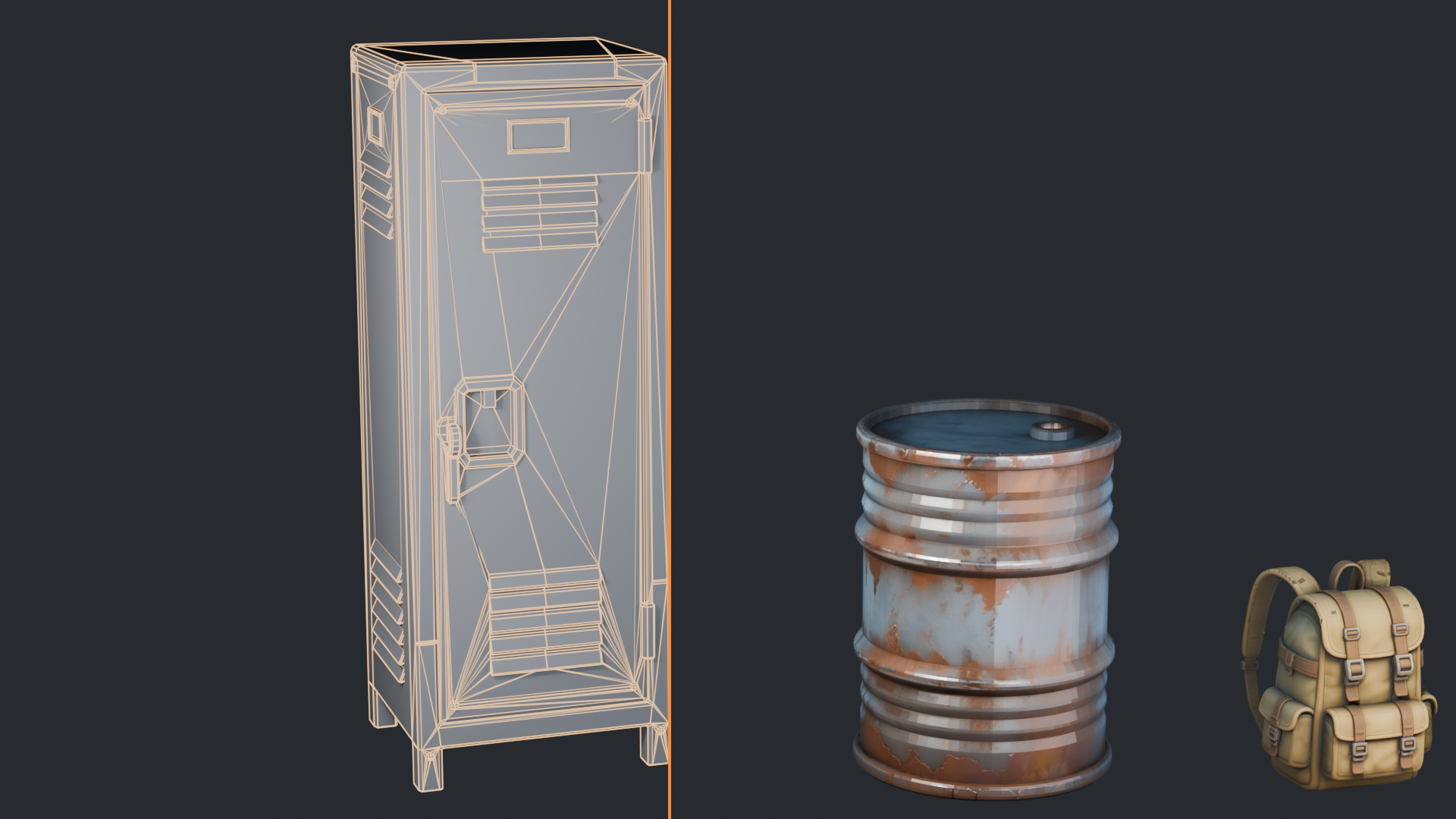
Every prop gets rendered from ten angles. Eight around, one from underneath, one from directly above. Back faces are lit emissive magenta. Then I count what fraction of the frame comes back magenta.
The reason is simple. A hole in a mesh is invisible from outside and completely obvious from inside. You don't find it in your product shot. You find it when a player crouches, or when the camera clips, or worse, when a buyer opens the file and looks.
For a control I punched a hole in a drum on purpose and ran it through. It reads 4.29%. That's my reference for actually broken.
23 of the 34 stay under 0.1% from every single angle. The shovel and the step ladder come back at 0.000%.
One thing that render cannot tell you is whether a mesh is closed, which is a different question from whether you can see through it. So I counted boundary edges, with the UV seams welded first because glTF splits vertices at every seam and an unwelded count is just measuring seams. 11 of the 34 are fully watertight, zero boundary edges and zero non-manifold. The rest sit between 2 and 203, the steel locker being the worst of them at 203. That one is deliberate. I tried capping its openings and the caps landed behind the front vent slots and read as a magenta crescent through them, which took it from 0.058% of the frame to 0.150%. Worse by the measure that matters, so it keeps its holes. None of that shows in a render. It matters if you are doing booleans or anything that wants a solid.
Three props have been cut at this step over the pack's life rather than shipped. That's the whole point of running it.
manifest.json
In the root. Every prop with its dimensions, triangle count, quad ratio, UV coverage, category, tags and file paths.
Because scale, pivots and orientation are consistent across the set, you can place things straight from it without measuring anything first. It's also the file to check my numbers against, which is why it ships rather than sitting on my drive.
About the screenshots
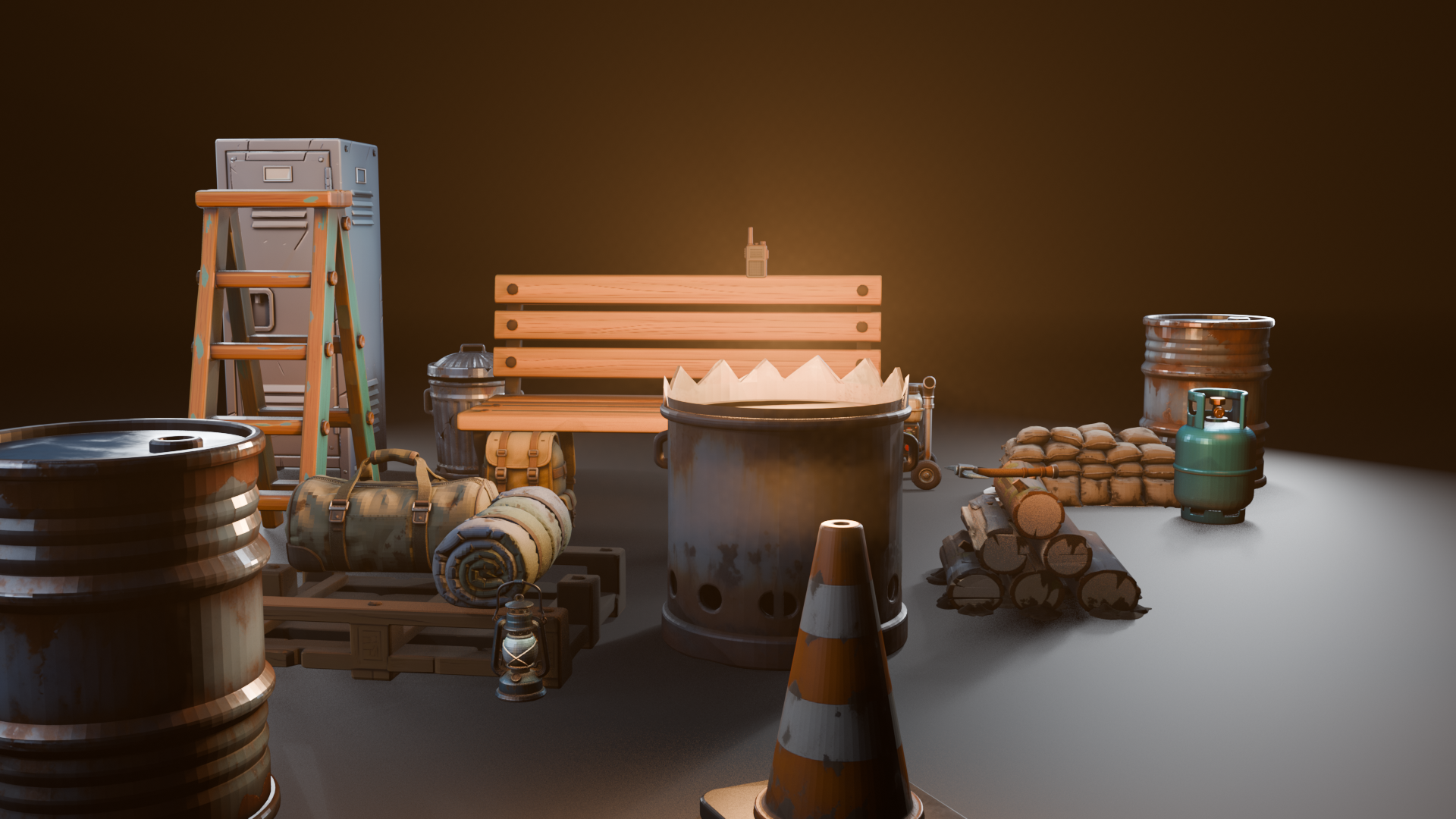
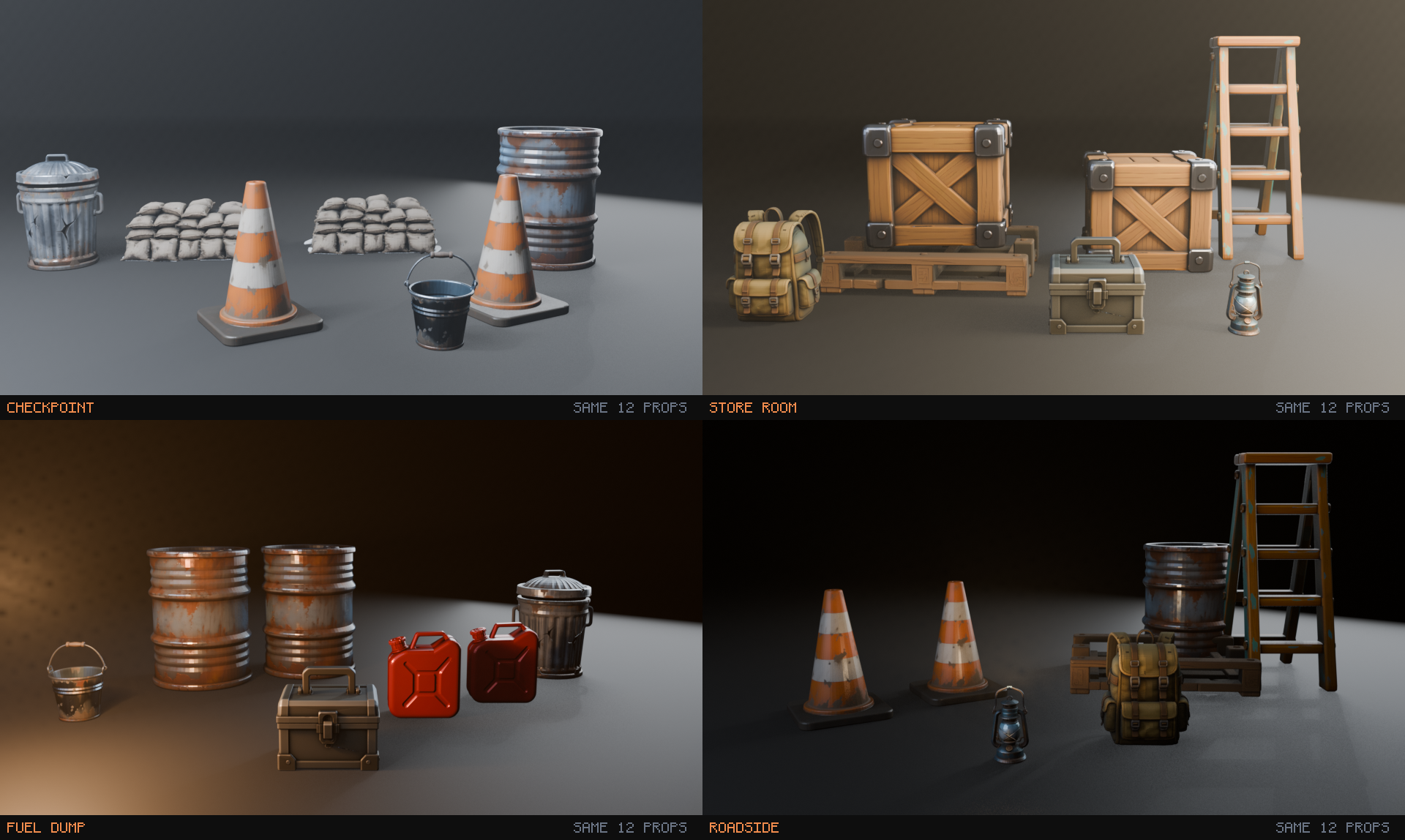
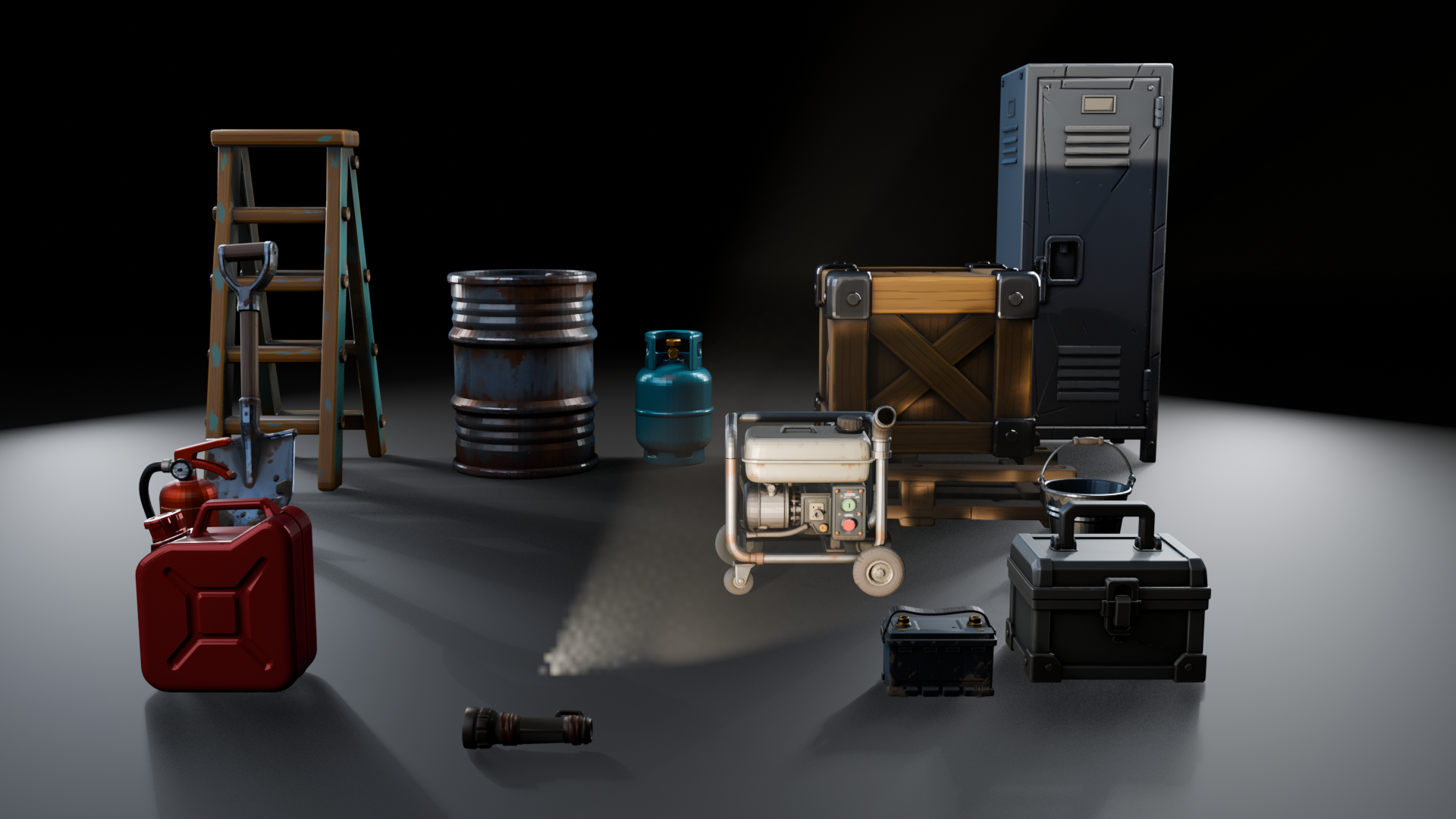
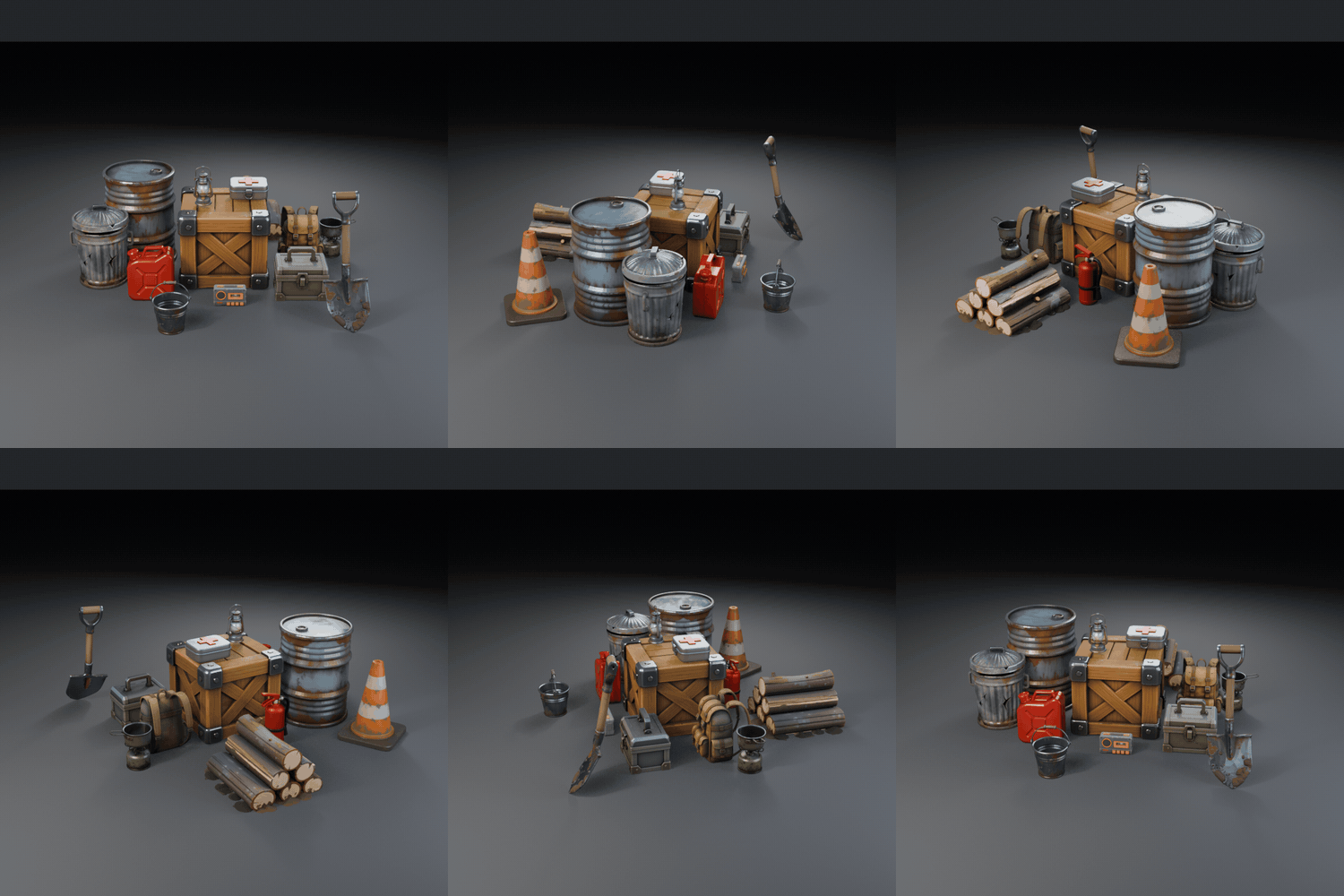
Everything you see in them is from the pack. The ground and the haze are staging and they're not in the download. The fire glow inside the burn barrel and the lantern is a lamp I added for the photo. The models ship unlit and emit nothing.
Licence
Use them in anything, commercial or not, including games you sell. Modify them however you want. Attribution isn't required. The one thing you can't do is resell or redistribute the assets themselves, original or modified, as an asset pack.
AI disclosure
Geometry and textures start out generated with AI. Then everything goes through the same cleanup pass, every time, no exceptions: retopology to quads, ngon removal, UV repacking where it measured better, baking down from the 4K source, straightening the axes, real-world scaling, pivot placement. The magenta test decides whether anything ships. The 4K source those maps were baked down from is not in the download, only the 1024 bakes, so you cannot rebake these at a higher resolution yourself. The 2K add-on on this page is me doing that for the ten props where it counted.
They were made in six batches across six versions, which is the obvious way for a set like this to quietly fall apart, so I measured that too. Median base colour lightness moved from L* 31 across the first nineteen props to L* 37 across the last eight, and median chroma from 0.16 to 0.10. The later batches are a bit lighter and a bit less saturated. Some of that is just what the objects are, since the early group holds a fire extinguisher and a jerry can and those are supposed to be loud. It is not enough to spot in a line-up. It is not zero either.
Where these came from
They started as set dressing for a co-op horror prototype I was building, and they came back far too cheerful for horror. Bright, friendly, sort of inviting. Useless for what I wanted. They suit cozy survival and casual co-op a lot better than they ever suited being scary.
Changelog
2K add-on
Added as a second, optional download. 2048 maps for the ten props with the least texel density, baked from the same 4K sources. Nothing in the main pack changed, so it is not a version bump.
1.6
Eight props: trash can, traffic cone, shovel, steel bucket, camping stove, car battery, log pile, duffel bag. The shovel came back at zero from all ten angles, which until then only the step ladder had ever managed.
A car tire was generated alongside them and cut. Its hub was an open cylinder with no inner wall, so from above you were looking straight down into the shell. 8.3% of the frame, against 4.3% for the drum I broke on purpose. Twice as bad as deliberately broken.
The scale reference shot is two rows now. Thirty-four props in one line came out eleven to one and nobody could read it.
1.5
Three props: bedroll, cooler box, burn barrel. The burn barrel is the one I cut from 1.4, regenerated with a closed bottom. That took its see-through from 12.5% of the frame down to 0.09%.
1.4
Three props: sandbag stack, ammo box, water jug. A burn barrel was generated for this batch and cut. No bottom face at all, you could see straight up into it, three times worse than the drum I broke on purpose.
1.3
Re-rendered every prop with back faces lit magenta and closed the ones that showed. The cassette recorder's battery recess had no floor. The pallet was missing an end face. Visible openings across the set down by half.
The generator got regenerated too, because the old one carried a decal with garbled lettering on it.
1.2
Cassette recorder added, twenty props at that point. Whole set re-checked from the back and the underside, not just the three-quarter view I'd been lazily relying on.
1.1
Repacked UVs on seven props where it gained texel density. Pulled one prop with torn geometry.
1.0
First release.
If something's wrong
This is my first pack. If a prop imports wrong, or you open one up and find a hole I missed, leave a comment and I'll fix it.
Download
Install instructions
One zip, no installer. Unpack it wherever and drag in what you need.
What's in the zip
- models/: 68 files. Every prop twice, once as
.fbxand once as.glb, textures baked into both. One drag brings the material with it. - textures/: the same maps as loose PNGs, three per prop at 1024×1024 (
_basecolor,_roughness,_metallic). You only need these if you're rebuilding the materials in your own shader. - previews/: 34 thumbnails, so you can pick a file without opening it.
- manifest.json: sizes, triangle counts, quad ratio, UV coverage and tags for all 34, in a form a script can read.
- README.md, PACK_OVERVIEW.png, SCALE_REFERENCE.png.
Godot 4
Drag the .glb files in. That's it. No rescale, no rotation fix, no rebuilding materials.
This is the one I actually tested. Fourteen props into a clean 4.7.1 project: all fourteen sat at Y = 0.000, the steel locker measured 1.800 m, the pallet deck 0.238 m, and a crate dropped at 0.238 sat flush on it.
Unity
Drag the .fbx files into Assets. Leave Scale Factor at 1, the files are already in metres.
Textures are embedded, so they arrive textured. If you want to edit the materials, select the asset, go to the Materials tab and hit Extract Textures, then Extract Materials. Or build your own from textures/.
Unreal
Import the .fbx files. Unreal counts in centimetres and these are in metres, so if something turns up a hundred times too small, set Import Uniform Scale to 100 and reimport.
Anything else
The .glb files open in Blender, Substance, Marmoset, three.js, Babylon, model-viewer, anything that reads glTF.
Godot is the only engine I ran these through myself. Unity and Unreal are ordinary FBX and should be fine, but I haven't tested them. If something misbehaves, say so in the comments and I'll fix it and reupload.
The other download
There's a second zip on the page called StylizedSurvivalProps_2K_Addon. It's optional. It has 2048 maps for the ten largest props, which are the ones where a single 1024 map gets thin, and the meshes in it are identical to the ones here so it drops straight in. Skip it unless a player can walk up to those props.
Scale and pivots
1 unit = 1 metre. Every pivot sits at the bottom centre, so putting a prop on the ground means setting its height to zero. A walkie talkie is 22 cm. The steel locker is 1.8 m.
Placing these from a script
manifest.json has the measured size, triangle count and tags for every prop, keyed by the same SM_Prop_Name_01 filenames as the models. You can lay out a whole scene from it without opening a single file.
Licence
Use them in anything, commercial or not, including games you sell. Modify them however you like. The one thing you can't do is resell or redistribute the assets themselves, original or modified, as an asset pack. Attribution isn't required.
Development log
- The car tire didn't make it in3 hours ago
Leave a comment
Log in with itch.io to leave a comment.